
Cleaning up accumulated EDI files: a dedupe wrapper for SERENEDI
Workflow for SERENEDI 2024 – installation instructions at bottom of post
A number of customers have raised the issue of truly massive amounts of EDI files accumulating in the 02_done_edi folder. Although everyone can archive these files elsewhere, some of them rely on the “don’t process duplicate files” functionality this provides, so I am providing a simple wrapper to the existing logic that can address this issue. Before I explain how it works, let me review how SERENEDI works, out-of-the-box.
SERENEDI ships with a reliable, if somewhat simple, dupe file filter that is embedded into the design of the UPLOAD trigger. The default flow goes like this:
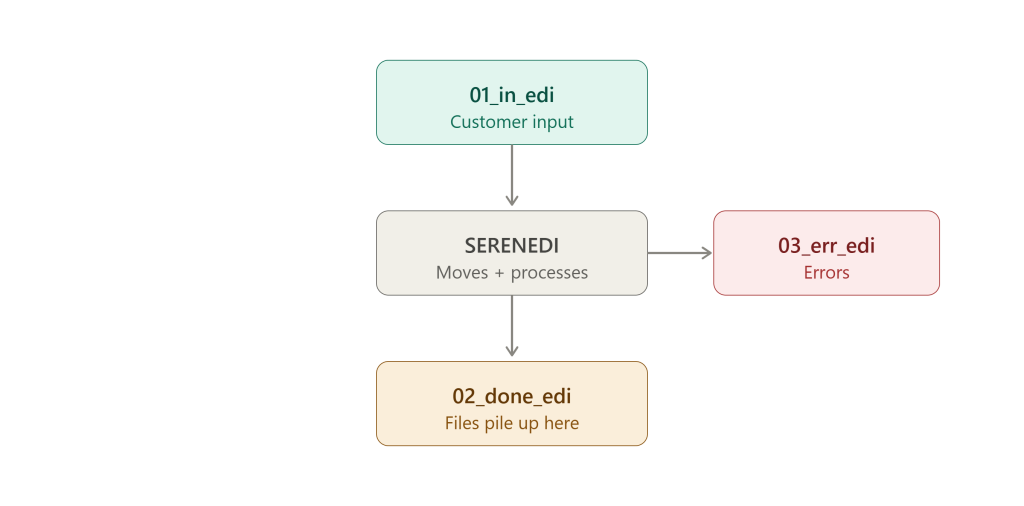
SERENEDI moves the file to 02_done_edi – then processes it. If there’s an existing duplicate file name in the 02_done_edi folder, SERENEDI can’t move it, and so doesn’t process it – and end users can notice that the 01_in_edi files aren’t going anywhere and they can do something about it.
I’ve personally seen 40K+ files sitting in the 02_done_edi folder using the default behavior, and although it all still works, this is not an ideal situation! Now, users can always cull the 02_done_edi after the files finished processing, which is usually just a few seconds – but their existence is also what makes the simplified dupe check work. This revised version doesn’t alter this existing production logic – instead, it wraps it:
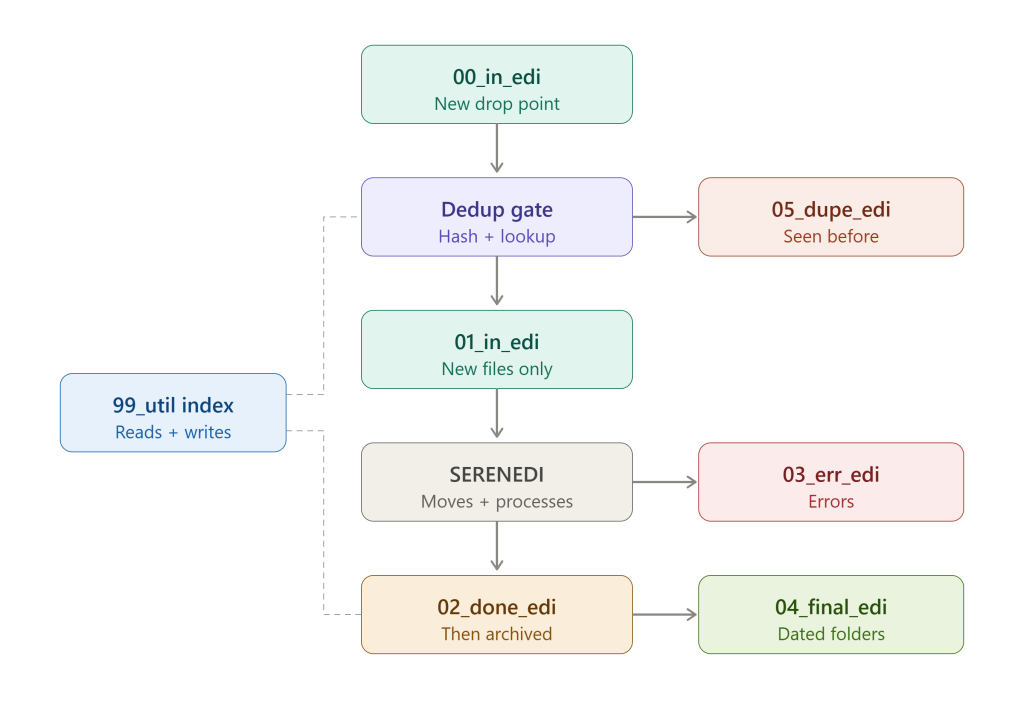
The above archive contains three files: README.md, Install-EdiDedup.ps1, and Invoke-EdiDedup.ps1. Installing will set up this new process for the HDB trigger, defaulting to the C: path, and creates a new 3 AM daily task to archive the 02_done_edi files, and pull in the true “new” files. Besides installing, all new files should go to 00_in_edi – and they will only be processed once the new EdiDedup task runs at 3 AM. If you set it a different schedule, it will only archive files that are at least an hour old so that it doesn’t yank files before SERENEDI has a chance to process them. Go ahead and read the README.md for the full usage information.